
MQTT Alarm Control Panel1.1.2 - Google Play
You'll be able to see results in few seconds.
Publisher Description


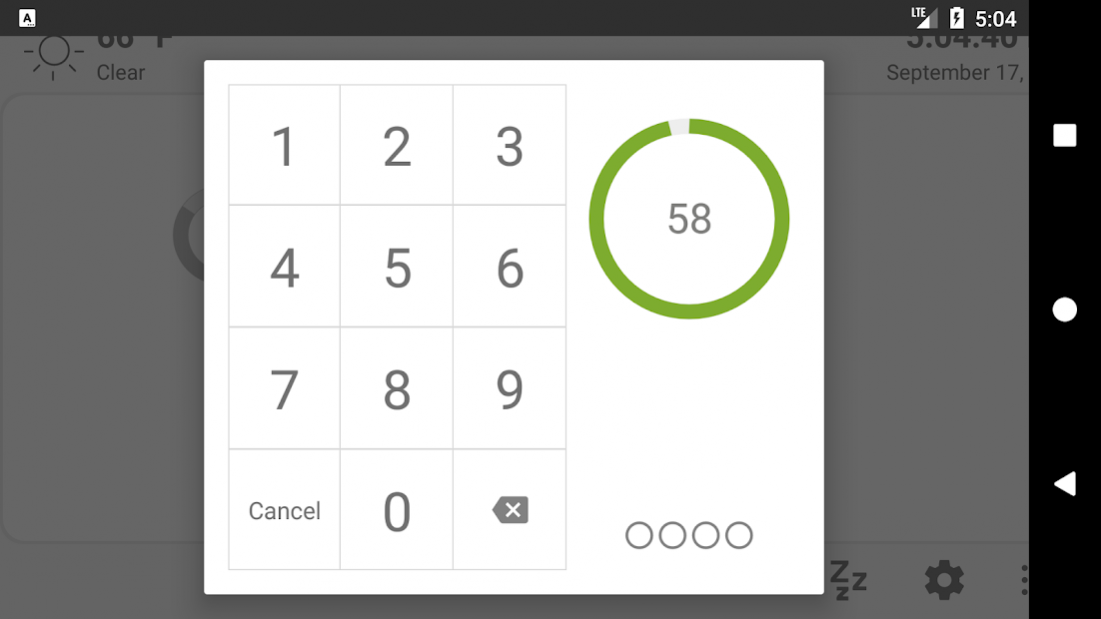
Reuse and old Android devices as a home alarm control panel that integrates with Home Assistant or any home automation platform that supports MQTT messaging.
MQTT Alarm Control Panel is an alarm control panel for use with home automation platforms that support MQTT messaging. The application was originally built for
Home Assistant'sMQTT Manual Control Panel. However, the application can be used with any home automation platform that supports the MQTT messaging protocol such as Jeedom, openHab, or Node-Red.
The alarm control panel acts as an interface for your home alarm system and allows for two way communication using MQTT. You can set the alarm state to away or home, or disarm the alarm using a code. Your home automation system controls the sensors or automation that triggers the siren or notifies users of possible intrusion.
Features
* Stream video, detect motion, detect faces, and read QR Codes.
* Capture and emailing images when the alarm is disabled.
MQTT commands to remotely control the application (speak text, play audio, display notifications, alerts).
* Device sensor data reporting over MQTT (temperature, light, pressure, battery, etc.).
* Day/Night mode themes based on MQTT sun value.
* Fingerprint unlock support to disable the alarm. (on supported devices).
* Optional screensaver mode using a digital clock or Imgur images.
* Three day MQTT Weather forecast.
* Home Automation Platform webpage support for viewing home automation dashboards.
The alarm panel is designed to be used as a dedicated device which runs continuously in full-screen mode. The alarm panel is open source and available on GitHub. There is also a version that runs on a Raspberry Pi using Android Things
For the complete setup instructions and additional information, please visit the Project Home Page. If you have any questions, please visit the Thanksmister Community.
Home Assistant
Home Assistant's MQTT Manual Alarm Control Panel
Project's Home Page
Raspberry Pi Version
Thanksmister Community
Support: mister@thanksmister.com
About MQTT Alarm Control Panel
The company that develops MQTT Alarm Control Panel is ThanksMister LLC. The latest version released by its developer is 1.1.2.
To install MQTT Alarm Control Panel on your Android device, just click the green Continue To App button above to start the installation process. The app is listed on our website since 2021-08-30 and was downloaded 0 times. We have already checked if the download link is safe, however for your own protection we recommend that you scan the downloaded app with your antivirus. Your antivirus may detect the MQTT Alarm Control Panel as malware if the download link to com.thanksmister.iot.mqtt.alarmpanel is broken.
How to install MQTT Alarm Control Panel on your Android device:
- Click on the Continue To App button on our website. This will redirect you to Google Play.
- Once the MQTT Alarm Control Panel is shown in the Google Play listing of your Android device, you can start its download and installation. Tap on the Install button located below the search bar and to the right of the app icon.
- A pop-up window with the permissions required by MQTT Alarm Control Panel will be shown. Click on Accept to continue the process.
- MQTT Alarm Control Panel will be downloaded onto your device, displaying a progress. Once the download completes, the installation will start and you'll get a notification after the installation is finished.
Program Details
System requirements
Download information
Pricing
Version History
version 1.1.2 Build 1
posted on 2021-08-30
Only a minor update for reporting crashes
version 1.1.2 Build 0
posted on 2021-07-16
Fixed issue with using codes starting with the number 0.
version 1.1.1 Build 9
posted on 2021-06-20
This release contains a few bug fixes and improvements. Please let us know if you have any issues.
version 0.8.9 Build 4
posted on 2021-05-26
Fix for MQTT client crash
version 0.8.9 Build 1
posted on 2020-08-19
Added arming delay sound for alarm away and home if they have delay times set. This gives users a way to know that the alarm is arming.
version 0.8.8 Build 0
posted on 2020-03-10
This release fixes an issue with TTS and other locales. It also updates the way we are setting and applying the screen dimming feature. Users can now set the percentage to dim the screen during night mode.
Disclaimer
Official Google Play Link
We do not host MQTT Alarm Control Panel on our servers. We did not scan it for viruses, adware, spyware or other type of malware. This app is hosted by Google and passed their terms and conditions to be listed there. We recommend caution when installing it.
The Google Play link for MQTT Alarm Control Panel is provided to you by apps112.com without any warranties, representations or guarantees of any kind, so access it at your own risk.
If you have questions regarding this particular app contact the publisher directly. For questions about the functionalities of apps112.com contact us.
